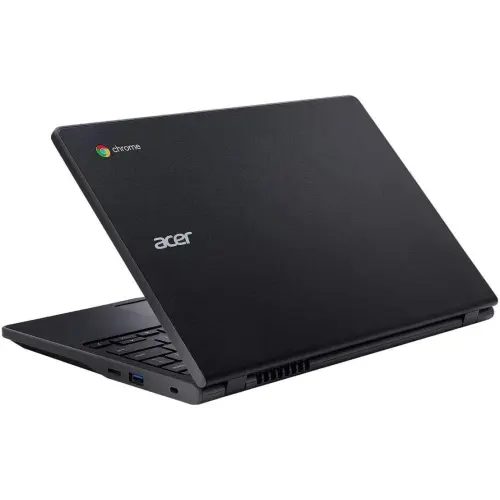
I am really enjoying my “new” 771 chromebook. The keyboard is actually great. the trackpad is trash, but after using any apple product, they all are. The screen is totally fine, and the speakers are bad but usable enough to watch a movie while I type this in picture-in-picture. The screensize is usable, having any two apps open and taking up half the screen.
The linux environment was just a simple click in settings. Updating the linux environment was really hard, as I’m stuck on v119 and the linux keys were out of date so I couldn’t sudo apt get update until messing with a lot of repo files. Gemini walked me through it.
It was easy to get the few things I use every day via the play store. Mainly Tailscale, Simplenote, and Spotify. I also downloaded claude for android.
I know the cpu in this thing is some binned down crappy mediatek, but chromeos is so lightweight that I have a bunch of tabs open, I’m watching a movie, I’m typing in an app, and I’m hovering at like 1%cpu and 2 out of 4gb of ram.
Really though, the linux VM makes this ’thinclient’ really powerful. I can ssh into my lab server or mac studio, and have my full dev environment with claude code and my zshsetup and I can work just like I was in front of my M1 32GB Studio. Tmux means I never have to start or end any sessions.
The chromebook I’m on has the ram AND the storage soldered on, unlike some chromebooks that have the M.2 ssd, which is a bit of a bummer - it would be neat to throw a huge amount of storage for no good reason. It’s stuck with 32gb, which is enough but more is always better.
I found a neat trick though, which is I can toss in a big (I’m not sure of the limit but at least 256GB) sd card in the reader, and then symlink that so that it’s just more storage space in my linux home directory. It will be slower, but I can store git projects there, or partition it to give the linux and chromeos 128GB each. I only have about 100GB used in google, mostly photos and drive, and could have everything synced locally.
It’s pretty snappy! It’s not as fast as my phone, but my phone came out in 2025(?) and cost like $900, so hard to compare.
It logs in wicked fast, and I was able to log in with my phone so I never actually typed my google password into it.
I’m a bit too much of a power-user for this to be my main device, but only because I need to package windows apps (as far as I know can only be done on windows, but could easily be done in Virtualbox), and sometimes I occasionally edit videos (need to use OBS and Davinci sometimes). Those are pretty much the only things I want to do, and wouldn’t be able to on this. Otherwise, I can do everything my work desktop does on this* and what I use my mac studio for. It would be plenty of computer for my brother. It wouldn’t work as a replacement for my mom, as she uses Cricut a lot, and while there is an android version, it’s very limited compared to the desktop ones available for mac and windows. My dad couldn’t use it, he’s never been any good at typing and has gotten worse. He uses 3 crappy samsung tablets at the same time and kinda juggles 2-3 of them. He will have Aliexpress open on one while twitter is open on the other, or he will have youtube on one, while browsing on the other of what youtube video he wants to watch next. Or he will be watching a youtube tutorial on one, while comparing amazon products on the other two. It’s a weird setup, but he’s an old 76 and it works well for him.
A couple of times, I’ve needed to use desktop excel and not the online one, but never for myself, troubleshooting for other people. I’m trying to think of other limitations I would hit if I only had this chromebook both at work and at home, and am struggling to think of more. I do like VScode on my mac and windows setups, as a System Analyst LVL 2, I would be hindered a bit if I couldn’t use VScode whenever wanted.
Certainly, I love my mac studio and my 4k monitor, and I can be a little more functional on that setup with 2 monitors, or my two monitors at work, especially with multiple large excel sheets to work in, or “multitasking”, but sometimes I find the limit of 2 things open to be a bit of a “focuser”, that there is one task to complete at a time, and to focus on it and finish it linearly instead of having a dozen things in some sort of half completed state.
Last thing I can think of, which is just muscle memory: I would like to switch backspace to be remapped to |\ below it, and |\ to be remapped to backspace, but if it’s possible, it’s not simple.
For me, it’s an incredible ancillary device. Fast to log in and hit a site like deskpro, or sharepoint, or jump into my homelab or desktop machine. I can get into Risevision while on-site to grab a MAC address or demo how schedules and presentions work.
It’s perfectly nice for blogging and with Tailscale, developing.